

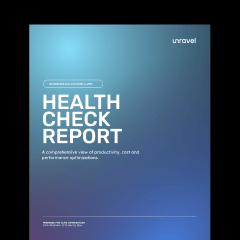




Discover hidden savings in your data platform
- Cost optimization recommendations
- Performance bottleneck identification
- FinOps scorecard
- Resource waste detection
- Pipeline and query optimization opportunities
- Completely secure, data never leaves your environment
100% free. No credit card required.


More information below









You’re three easy steps away

Request your report. Submit the form above.

Secure connection. We'll guide you through a simple, secure setup.

Get insights in minutes.
Common questions
Unravel analyzes your account, query, and table usage, correlated with additional telemetry data to generate AI recommendations to improve performance, productivity, and cost efficiency. The Health Check report provides a summary of these details to help you prioritize next steps.
Unravel is SOC 2 certified to keep your information secure and private.
The Health Check includes recommendations to improve performance, productivity, and cost efficiency. For example, if a group of similar queries are repeatedly delayed due to insufficient memory, Unravel's AI recommendations may suggest migrating those queries to a larger workspace / warehouse for faster processing.
Yes, in order to produce a Health Check, you will need to securely connect your telemetry. Once the report is ready, you will receive a copy in your inbox that is yours to review and share with your team.
Once you request your Health Check, our team will share instructions to securely connect to your telemetry data. Once telemetry is connected, your report is typically delivered in about 2-3 business days.
Since your data environment is dynamic, it is recommended to choose a regular update cadence that can reflect changes you make to your code, queries, tables, and workspaces / warehouses. If you would like frequent updates, Unravel can be configured for near real-time reporting.
Learn more about these options in our docs here.