

Discover inefficiencies and quantify savings opportunities in your data platform

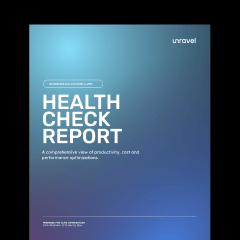




Overcome [i]inefficiencies[/i] and [i]realize savings[/i] in your data platform


100% free. No credit card required.










Included with [i]every report.[/i]

Cost optimization recommendations
Performance bottleneck identification
FinOps scorecard
Resource waste detection
Pipeline and query optimization opportunities
Completely secure, data never leaves your environment
Actual numbers from [i]recent assessments.[/i]
119k
efficiency opportunities found in a 30-day trial

$1.32M
in annualized savings identified

$1.96M
in year-one savings potential

32%
increase in job performance

50%
cost reduction across sampled workloads

$1.28M
in identified annual savings

75%
faster batch job runtime

40%
storage optimization

Get actionable insights in
[i]minutes[/i]
Sign Up
Share
Review
Common questions
Unravel analyzes your account, query, and table usage, correlated with additional telemetry data to generate AI recommendations to improve performance, productivity, and cost efficiency. The Health Check report provides a summary of these details to help you prioritize next steps.
Unravel is SOC 2 certified to keep your information secure and private.
The Health Check includes recommendations to improve performance, productivity, and cost efficiency. For example, if a group of similar queries are repeatedly delayed due to insufficient memory, Unravel's AI recommendations may suggest migrating those queries to a larger workspace / warehouse for faster processing.
Yes, in order to produce a Health Check, you will need to securely connect your telemetry. Once the report is ready, you will receive a copy in your inbox that is yours to review and share with your team.
Once you request your Health Check, our team will share instructions to securely connect to your telemetry data. Once telemetry is connected, your report is typically delivered in about 2-3 business days.
Since your data environment is dynamic, it is recommended to choose a regular update cadence that can reflect changes you make to your code, queries, tables, and workspaces / warehouses. If you would like frequent updates, Unravel can be configured for near real-time reporting.
Learn more about these options in our docs here.